
Ultra HDR in one sentence
An Ultra HDR file is an ordinary JPEG with a second, hidden image tucked inside it, called a gain map. The gain map is a grayscale picture that tells an HDR display how much extra brightness each area of the photo is allowed to use.
On a screen that understands the format, the sun, a lamp or a bright reflection can be rendered far brighter than ordinary white, while skin tones and shadows stay where they were. On every other screen, the extra data is ignored and you simply see the normal JPEG. That backward compatibility is the whole point of the design.


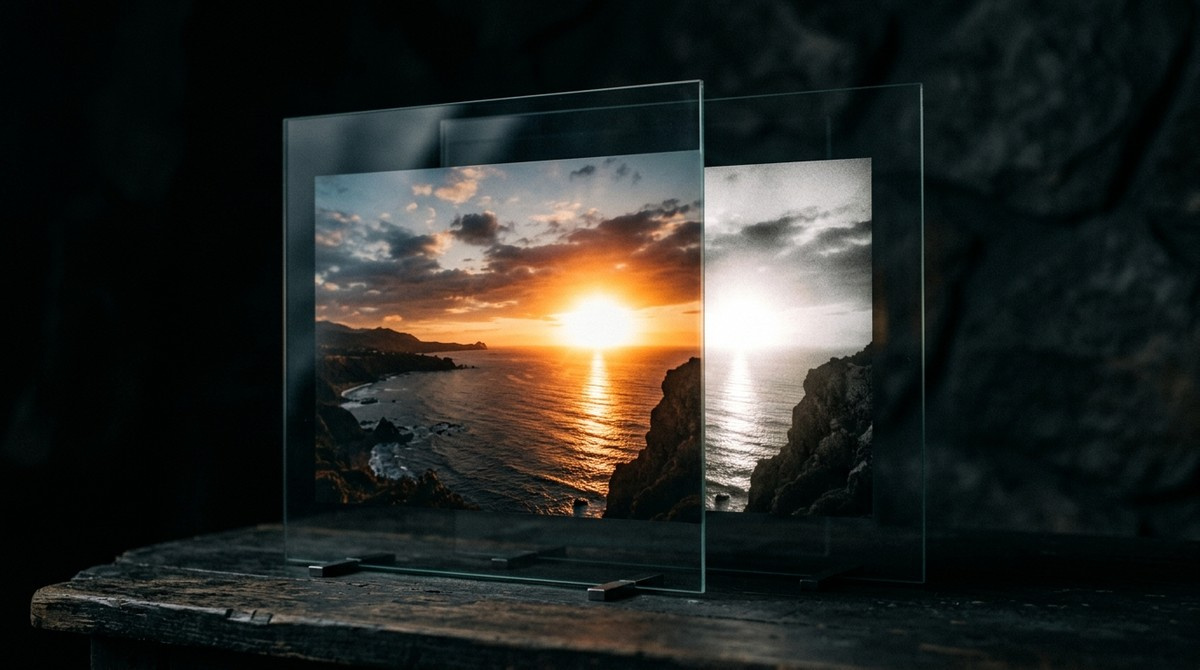
Simulated. On the screen you are reading this on, both halves are identical — an ordinary display has no extra brightness to give. This is how the difference reads on an HDR display.
It is not the Ultra HDR setting in games
Searches for this term bring up two unrelated things. In PUBG Mobile, BGMI and similar games, Ultra HDR is a graphics quality preset that affects frame rate and battery life. It has nothing to do with photographs.
This page is about the photo format used by Android camera apps and Google Photos. If you arrived looking for the game setting, this is not it.
Which phones take HDR photos
Support arrived with Android 14. Pixel 8 and newer shoot Ultra HDR by default, and recent Samsung Galaxy flagships produce gain-map photos as well. Google Photos displays them correctly on hardware that can show the extra brightness.
iPhones do the same thing under a different name. Recent models store an HDR gain map alongside the picture, and Apple has moved toward the ISO 21496-1 standard that Ultra HDR also builds on. The mechanism is the same: an ordinary image plus a map saying how much brighter each area may go. The checker on this site reads both.
An older phone can still open any of these files — it just shows the ordinary image underneath, with no visible difference.
Should you turn Ultra HDR on or off?
Leave it on. The file stays a normal JPEG that opens anywhere, so nothing is lost by keeping the format enabled, and the photo looks better on displays that support it.
There are two reasons to turn it off. The gain map adds roughly a fifth to the file size, which matters if storage is tight. And if a specific workflow of yours mishandles the extra data, disabling it removes the variable. For everyday photography neither is a strong argument.
One honest caveat: you cannot judge the effect on an ordinary monitor. On an SDR screen the file is identical to a normal photo, so the difference only appears on hardware that can actually produce the extra brightness.
What happens when you upload an Ultra HDR photo
This is where most of the disappointment comes from. Many upload pipelines re-encode images on the way through, and re-encoding usually discards the gain map. The photo still arrives, but it arrives as a plain JPEG and the HDR effect is gone.
Whether a given service keeps the gain map has to be tested rather than assumed, and the answer changes as platforms update their processing. The reliable method is to check the file before and after: upload it, download the result, and inspect both.
This site has a checker that reads a JPEG and reports which HDR structures it actually contains — gain map, MPF segment, ISO 21496-1 metadata. That turns the question into a measurement instead of a guess.
Making an Ultra HDR file from an ordinary photo
You do not need an Android phone to produce one. A gain map can be built from any photograph that has genuine bright areas: sunlight on water, a lamp, a bright sky, specular reflections on metal or glass.
The converter on this site reads the highlights in the image, picks a threshold from the photo's own histogram, and builds the gain map from that, using Google's reference encoder. Photographs with no highlight structure at all — a flat white background, a photo of a document — have nothing to lift, and the converter says so rather than quietly brightening the whole frame.
Frequently asked questions
Does Ultra HDR make the photo brighter?
No, not as a whole. It raises only the areas the gain map marks as highlights, and only on a display with brightness in reserve. Raising overall exposure would be a different and much cruder thing.
Can I open an Ultra HDR photo on an old phone or a Windows PC?
Yes. The base image is an ordinary JPEG, so anything that opens a photo opens this. The device simply ignores the gain map.
Does Instagram keep Ultra HDR?
It depends on how the platform processes your upload at the time, and that changes. Rather than trust a general answer, send the file through and inspect the version that comes back.
Why does my Ultra HDR photo look the same as a normal one?
Almost always because the screen you are viewing it on is SDR. Without extra brightness available there is nothing to show, and the file renders as the ordinary JPEG it also is.
How much bigger is an Ultra HDR file?
Roughly a fifth larger than the same JPEG without a gain map. The map is a small grayscale image, heavily compressed.