
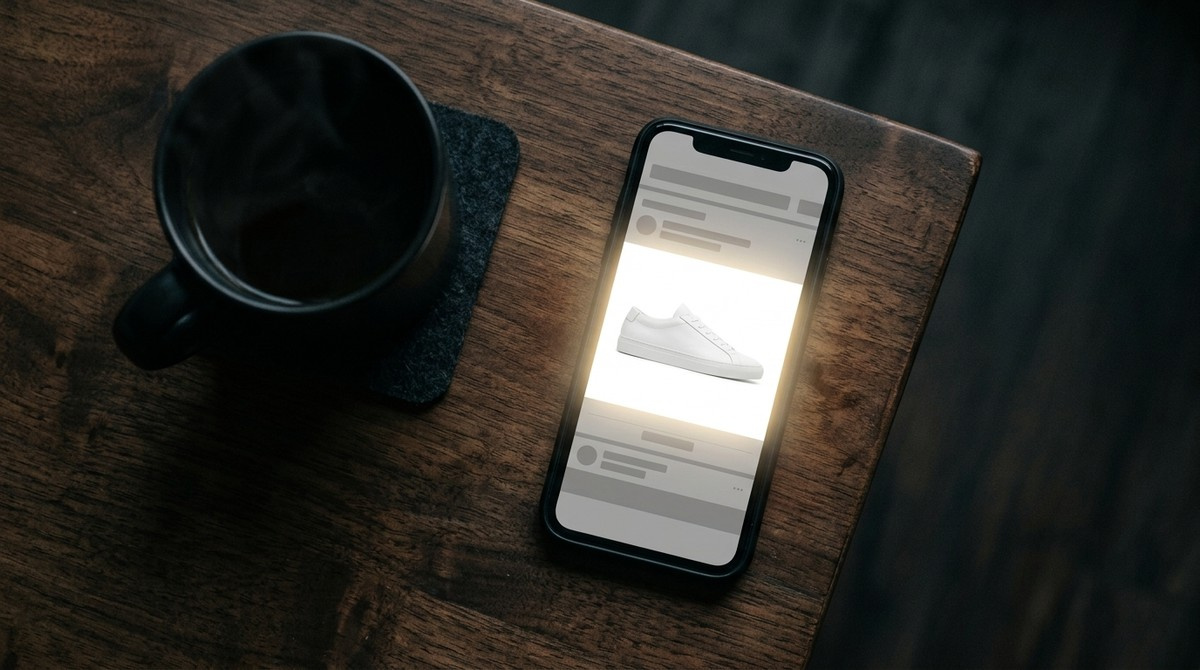
The short answer
An ordinary image can only go as bright as your screen's white. An Ultra HDR image is a normal JPEG plus a second, hidden greyscale image called a gain map. The gain map tells the display how much extra brightness each area is allowed to use, and a phone with brightness headroom obeys it.
So the glowing ad is not a brighter photograph. It is the same photograph with instructions attached, and it is using a part of your display that nothing else in the feed is touching.


Simulated. On the screen you are reading this on, both halves are identical — an ordinary display has no extra brightness to give. This is how the difference reads on an HDR display.
If you just want it to stop
If the glow bothers you rather than interests you, the controls are on your side. We could not find a switch for it inside the Facebook app at the time of writing; Instagram, which uses the same images, has one on iPhone: Disable display of HDR media, under Media quality in its settings, followed by a restart of the app.
For Facebook itself, the reliable option on an iPhone is Low Power Mode, which limits HDR display. On Android it depends on the phone: Samsung has a Video brightness setting under Advanced features, and some other brands have an HDR or vivid-display option under Display. Turning screen brightness down does not help — a lower setting leaves the phone more headroom for HDR, so the jump can look bigger, not smaller.
Why it lands so hard on ads specifically
A feed is a level playing field. Every image in it is clamped to the same ceiling, so nothing can win on luminance — only on composition, colour and copy. Your eye adapts to the brightest thing on screen, and when everything shares one ceiling, that adaptation is stable.
One HDR creative breaks the ceiling. It does not just look bright; it makes everything above and below it read as dim by comparison. The attention comes from the contrast with the feed, not from the image itself, which is why a screenshot of the effect never looks like much.
It is strongest on light images. A product on a plain white background is already sitting at the top of the range, so the gain map lifts the whole subject into the headroom instead of picking out a few small highlights. That is exactly the shape of most e-commerce and DTC creative.
What it is not
It is not a Facebook ad product. There is no placement to buy, no toggle in Ads Manager, no beta to apply for. The brightness lives in the file you upload, not in the campaign.
It is not raised brightness, contrast or saturation. Those operations trade one part of the image for another and look worse on every screen. A gain map adds range that was not available before and leaves the base image untouched.
It is not a trick that breaks anything. An Ultra HDR file is a valid JPEG by design — a viewer that does not understand gain maps simply ignores the extra data and shows the ordinary picture.
Where it stops working — read this before you plan a campaign
On a screen with no brightness headroom — most laptops, most desktop monitors, older phones — there is nothing to render into, and your viewer sees the plain base image. It does not look broken, it just looks normal. Treat the effect as a bonus on capable devices, never as the thing your creative depends on.
Platforms also re-encode what you upload, and a re-encode can drop the gain map. This varies by platform, by upload path and by month, and anyone who gives you a confident permanent table is guessing. Check your own file after it is live rather than trusting a list.
And it is self-cancelling at scale. The effect exists because the rest of the feed is ordinary. The more advertisers use it, the less any one of them gains — which is an argument for using it now rather than an argument against using it.
How to put a gain map on your own creative
You do not need an HDR camera, an HDR monitor or a new creative pipeline. You need to attach a gain map to the JPEG you already have, which is a file operation, not a photo shoot.
Our converter does exactly that in the browser: you upload the creative you were going to run anyway, and it returns a standards-compliant Ultra HDR JPEG you can upload to Ads Manager in its place. Nothing else about the creative changes.
It has two modes, and the difference matters for ads. Auto mode finds genuine highlights — reflections, lamps, sky — and lifts only those. That is right for photographs, and it deliberately refuses images with no real highlights instead of inventing them. Creative mode lifts the whole subject, which is what you want for a product on white, a flat-colour graphic or a logo, where there is no highlight to find and the point is for the entire frame to sit above the feed.
A real example: one ad creative through Creative mode



This is not a simulation: the third image is the real output of the converter, 79% of the frame lifted. Open the page on a recent phone to see it, or download the full-size file.

What to check before you spend money on it
Look at it on a real HDR phone, not on your laptop. Your desktop monitor is the one screen guaranteed not to show you what you just made.
Check the file survived the upload. Pull the live creative back down and confirm the gain map is still attached — our checker reads any JPEG and tells you whether one is present, which is the only way to know that a given upload path preserved it.
Do not push it to maximum. An image that glows so hard it reads as a display fault gets scrolled past like any other bad ad. The effect works because it looks like a better screen, not like a broken one.
Frequently asked questions
Does the same thing work on Instagram?
Yes — it is the same file format and largely the same upload pipeline, and the effect in an Instagram feed is identical. The reason ads stand out on both is that a feed of ordinary images gives the HDR one nothing to compete with.
Will Facebook reject an HDR ad creative?
There is nothing to reject. An Ultra HDR file is an ordinary JPEG with extra data attached, so it passes the same checks as any other image and is treated as a normal upload.
Do I need an HDR camera or a new creative workflow?
No. The gain map is attached to a finished JPEG after the fact, so your existing creative, shot on anything, can carry one.
Why can I not see the effect on my laptop?
Because most laptop and desktop screens have no brightness headroom above their own white. The image is correct; the display has nothing extra to give it. Check on a recent phone instead.
Is this an ad format I have to pay for?
No. It is a property of the image file, not a Facebook product. There is no placement, no surcharge and no setting in Ads Manager.
Will it still look right for people on ordinary screens?
Yes. Ultra HDR is backward compatible by design — a screen that cannot use the gain map shows the normal base image, which looks exactly like the creative you started with.